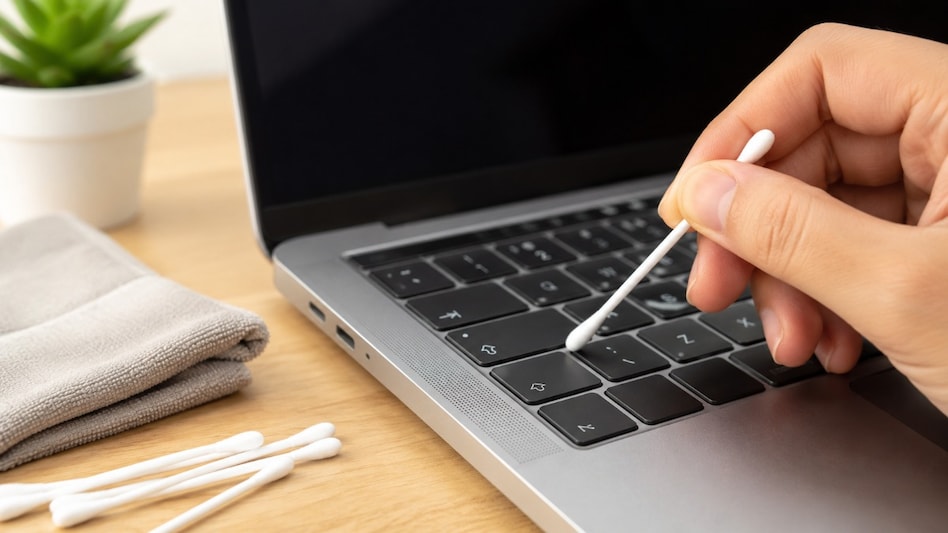
Laptop cleaning hack: This simple household item can remove dust from hidden corners
Maintaining a clean laptop goes beyond a simple surface wipe. Dust, crumbs, hair, and other debris often accumulate in hard-to-reach areas, such as around keyboard keys, touchpad edges, and ventilation grilles. This buildup can become more pronounced, particularly if you tend to snack while working on your device. While there are specialized cleaning tools available, a common household item can be surprisingly effective at addressing these tricky spots. However, caution is advised to avoid pushing debris further into the laptop. A dry cotton swab serves as an excellent tool for cleaning the edges of keyboard keys, where dust and food particles often gather. Carefully glide the swab along the sides of the keys without applying excessive pressure or attempting to wedge it underneath. It's also useful around the touchpad, especially in the corners. For cleaning the touchpad's surface, opt for a soft microfiber cloth instead. Additionally, cotton swabs can effectively reach narrow seams around the laptop lid, palm rest, and outer panels. Roll the swab gently between your fingers to lift dust rather than pushing it deeper inside. When tackling ventilation grilles, focus on the visible edges and refrain from inserting the swab into any openings. If heavy dust accumulation is present, consider using an air blower or seeking professional cleaning assistance. Before diving into the cleaning process, ensure your laptop is powered off and unplugged from any chargers or cables. Keep cotton swabs completely dry when working around gaps and vents. Avoid inserting them into USB ports, headphone jacks, or other openings, as this could push debris deeper or leave behind unwanted fibers. For screen cleaning, use a clean microfiber cloth instead of cotton swabs, and never spray cleaning solution directly onto the laptop. If the swab becomes dirty during cleaning, replace it immediately to prevent spreading dust to other areas of the device.
Tidal Takes Bold Step Against AI Music Flood, Set to Remove Millions of Tracks
In a decisive move to combat the overwhelming influx of AI-generated music, Tidal announced on Tuesday its plans to ban ...
TechCrunch | Nov 24, 2026, 17:10
Nvidia's Leadership Shakeup: CFO Excluded from CEO Reinstatement Talks
Nvidia's chief financial officer, Colette Kress, who had a brief stint as interim CEO, was reportedly not included in se...
Business Today | Nov 24, 2026, 15:15
Jio Unveils Exciting New Plans with Unlimited 5G Data for the New Year
Reliance Jio has rolled out its latest prepaid recharge offerings, dubbed 'Happy New Year 2.0', featuring unlimited 4G a...
Business Today | Nov 24, 2026, 10:20
Investing in the Future: Solar and Battery Solutions for AI Data Centers
The challenge of powering AI data centers has emerged as a pivotal issue in the current technological landscape. Over th...
TechCrunch | Nov 24, 2026, 16:25
Uber and Nuro Kick Off Driverless Trials for Lucid Robotaxis Ahead of 2027 Launch
Uber and Nuro have officially launched their driverless testing phase for the Lucid Gravity SUVs on the streets of the S...
TechCrunch | Nov 24, 2026, 17:15