Apple iOS 26 bugs frustrate users: How to safely downgrade to iOS 18.6.2
Apple's recent launch of iOS 26 has introduced an eye-catching Liquid Glass interface, but not without its share of issues. Many users have reported experiencing frustrating lags and glitches as they navigate the updated software. As is common with significant iOS updates, early adopters frequently encounter these types of challenges. Fortunately, for those dissatisfied with their experience, there is a way to revert to the previous version, iOS 18.6.2, as Apple is still signing it. However, the downgrade process comes with its own set of complexities and risks. A recent report from WCCFtech emphasizes that downgrading should be approached with caution, as it will erase all data stored on the device. Users are strongly encouraged to back up their important files, including photos, notes, and voice memos, before attempting the downgrade. To ensure your data is safe, utilize iCloud, Finder on a Mac, or iTunes on a Windows PC to create multiple backups. Before beginning the downgrade, there are several essential steps to follow. First, disable the 'Find My iPhone' feature in Settings, and ensure you sign out of your Apple ID to prevent activation lock issues. Next, download the correct IPSW file for iOS 18.6.2 from Apple's official website or IPSW.me, making sure it corresponds with your specific iPhone model and is still being signed by Apple. Once you have the file, connect your iPhone to your computer using a Lightning or USB-C cable, and confirm that Finder or iTunes recognizes your device. Then, enter DFU mode by pressing and releasing the Volume Up button, followed by the Volume Down button. Hold the Side button until the screen turns black, then press and hold the Volume Down button for five seconds while still holding the Side button. After this, release the Side button while continuing to hold the Volume Down button until your device appears in Finder. Now, it's time to restore your iPhone. On a Mac, open Finder, hold the Option key, and select 'Restore iPhone.' For Windows users, open iTunes, hold Shift, and click 'Restore,' then select the iOS 18.6.2 file you downloaded. Be prepared for your iPhone to restart multiple times during the downgrade process. After the installation is complete, you can either restore your data from your backup or set up your device as new. For users grappling with ongoing issues in iOS 26, downgrading may offer a temporary solution until a more stable update is available. Keep in mind that this process requires patience and careful attention to detail, making it best suited for those comfortable with technology. Apple continues to advocate for regular software updates, citing their importance for security and stability, even if they may initially lead to overheating or battery drain as the device adjusts to the new software environment.
AI Leaders Urge Caution on Potential Restrictions Amid US-China Tensions
A collective of prominent AI firms, including Hugging Face, Meta, Microsoft, Mistral, and Nvidia, has issued an open let...
TechCrunch | Jul 24, 2026, 16:15
Tech Giants Unite to Advocate for Open AI Models Amid Regulatory Concerns
In a bold move reflecting their shared vision for the future of artificial intelligence, leading tech figures have come ...
Business Insider | Jul 24, 2026, 14:45Anduril's Valuation Set to Soar: A $100 Billion Funding Round on the Horizon
Anduril, a prominent player in defense technology, is reportedly gearing up for a significant funding round that could e...
TechCrunch | Jul 24, 2026, 17:40
Legal Battle Erupts Over 'Duress' Password in Groundbreaking Data Wiping Case
The U.S. Justice Department has initiated legal proceedings against a Georgia resident, Samuel Tunick, who is accused of...
TechCrunch | Jul 24, 2026, 18:25
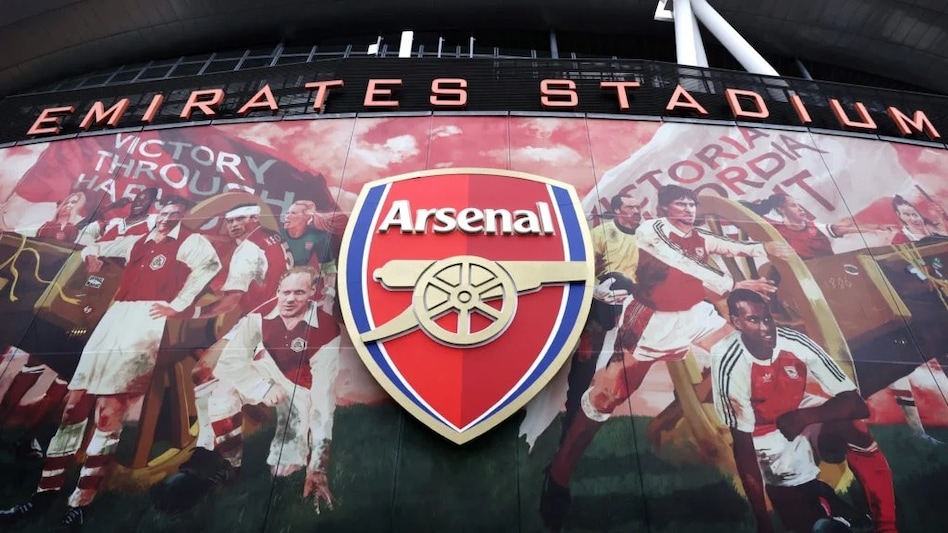
Arsenal Seeks AI Engineer to Revolutionize Football Strategy
Arsenal Football Club is on the lookout for a unique addition to its team—not a player, but a research engineer to spear...
Business Today | Jul 24, 2026, 17:20