Windows 10 reaches end of life: Three ways to keep using your PC after October 2025
Microsoft is set to conclude support for Windows 10 on October 14, 2025, marking the end of a significant era for one of its most popular operating systems. After this date, devices running Windows 10 will no longer receive updates, including crucial security patches and official assistance. However, users can still keep their computers functional. Here are three key strategies to ensure continued operation after the end-of-life date. 1. **Join the Extended Security Updates (ESU) Program** One effective way to maintain security is by enrolling in Microsoft’s Extended Security Updates (ESU) program. This initiative extends critical security updates until October 13, 2026. There are three ways to enroll: - **Free**: Available for users who back up their files to OneDrive. - **Microsoft Rewards**: Utilize 1,000 Rewards points for enrollment. - **Paid Option**: A one-time fee of $30 (approximately ₹2,500) allows registration for up to ten devices linked to the same Microsoft account. Once enrolled, users will continue to receive essential security updates, albeit without any new features or enhancements. 2. **Upgrade to Windows 11 on Supported Devices** If your computer meets the necessary system requirements, the best option is to upgrade to Windows 11. Eligible hardware includes processors with TPM 2.0 support, a minimum of 4GB of RAM, and Secure Boot enabled. Users can initiate the upgrade through: - **Windows Update** in the Settings menu - **Windows 11 Installation Assistant** - A clean installation using an **ISO file**. For systems that are still using BIOS with an MBR partition, transitioning to UEFI with GPT will be required prior to upgrading. Luckily, Microsoft provides the MBR2GPT tool to facilitate this process without data loss. 3. **Utilize Workarounds for Unsupported PCs** For older machines that fall short of the upgrade requirements, it is technically possible to install Windows 11 using custom media creation tools like Rufus, which can circumvent TPM and Secure Boot checks. However, while this method allows unsupported hardware to remain operational, it’s important to note that Microsoft does not endorse this approach. The reliability of updates may be compromised, and the absence of hardware-level protections could expose devices to vulnerabilities. **Backing Up Is Crucial** Regardless of which path users choose, experts emphasize the importance of performing a full system backup prior to any upgrades or ESU enrollment. This precaution safeguards data in the event of installation failures or compatibility challenges. **Implications for Users** After the October 2025 deadline, Windows 10 computers will continue to function, but the absence of updates will significantly elevate security risks. The ESU program offers a temporary solution, while upgrading to Windows 11 represents the safest long-term strategy. For those with older machines, using unsupported upgrades may keep them operational, though at the expense of stability and security.
WhatsApp Unveils Major Updates for iPad and CarPlay Integration
WhatsApp is introducing a series of significant upgrades across its platforms, particularly focusing on iPad, CarPlay, a...
Business Today | Jul 23, 2026, 08:10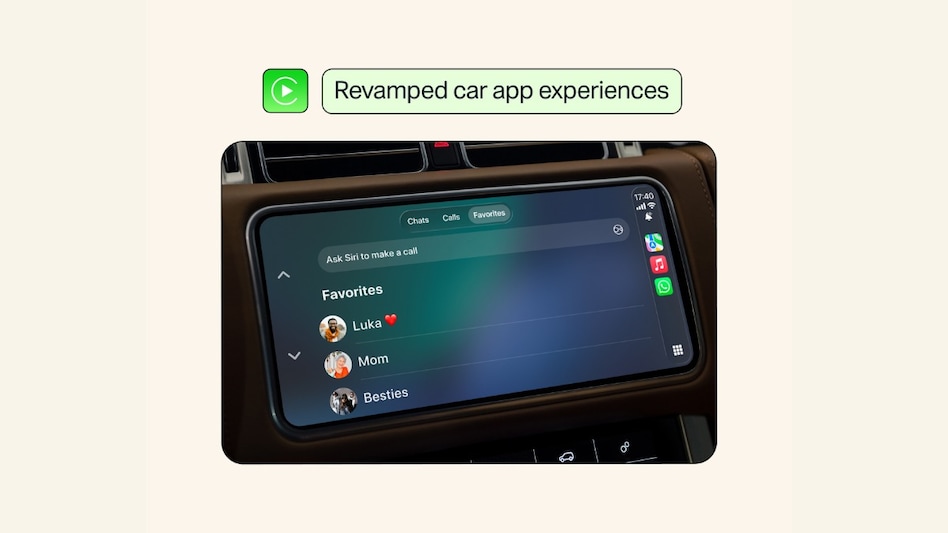
Google Faces €890 Million Penalty in Landmark EU Digital Markets Act Enforcement
European regulators have imposed a hefty fine of €890 million (approximately $1 billion) on Google, citing the company's...
CNBC | Jul 23, 2026, 10:25
Elon Musk Embraces AI Risks for a Future of Abundance
In a thought-provoking interview with Zanny Minton Beddoes, the editor in chief of The Economist, Elon Musk shared his i...
Business Insider | Jul 23, 2026, 12:20Moonshot AI's Visionary Founder: The Traits Behind His Meteoric Rise
Yang Zhilin, the 34-year-old cofounder of Moonshot AI, has recently captured the attention of the tech world with the la...
Business Insider | Jul 23, 2026, 12:30Google Cloud Sees Surge in Customer Spending as Growth Soars
In a recent revelation, Thomas Kurian, the CEO of Google Cloud, announced that the company’s current customers are spend...
CNBC | Jul 23, 2026, 15:05