
How to turn off Instagram’s new Instants feature and retract photos you accidentally shared
Recently, Instagram unveiled a new feature named "Instants," aimed at enhancing the experience of sharing spontaneous, ephemeral photos. This new addition allows users to capture and share authentic moments as they unfold. However, it has also raised concerns among users who inadvertently sent images to others without fully grasping how the feature operates. Upon accessing the Instants section for the first time by tapping the mini photo stack in the bottom-right corner of your inbox, users are greeted with a brief introduction. This guide explains that Instants are temporary, that there is no visible viewer list, and that reactions and replies remain private. Following this introduction, users are quickly taken through how to view and respond to Instants. When using the camera, a shutter button appears along with a toggle to select between "Friends" and "Close Friends," with the default setting being "Friends." Unfortunately, what many users may not realize is that tapping the shutter button instantly sends the photo to everyone on their Friends list unless they switch to "Close Friends" beforehand. This lack of clarity can lead to accidental sharing, as users may not be aware of the immediate nature of the action. For those concerned about privacy, this feature's tendency to send images instantly without a thorough review can be alarming. While there is an "undo" option available after sending a photo, it can easily be overlooked during the initial shock of accidental sharing. For those looking to disable this feature altogether, the process is straightforward. To turn off the Instants feature, navigate to your profile and click the three-line menu in the top right corner to access your settings. From there, scroll down to “Content Preferences” and toggle the “Hide Instants in Inbox” option. Once selected, the Instants feature will no longer appear in your inbox, nor will you receive any Instants sent to you. If complete deactivation isn’t your preference, users can alternatively manage their incoming Instants by holding down the pile in their inbox and swiping right to temporarily pause receiving them. Should you need to retract an Instant after sending, an "Undo" option will pop up beneath the shutter button, or you can delete the Instant from your archive using the four-box icon at the top right of the camera, preventing it from reaching friends who haven’t yet seen it.
The Aluminum Foil Trend: A DIY Shield Against Wireless Identity Theft
Have you noticed an unusual trend where people are wrapping their wallets in aluminum foil? This peculiar practice has e...
Business Today | Jul 25, 2026, 02:45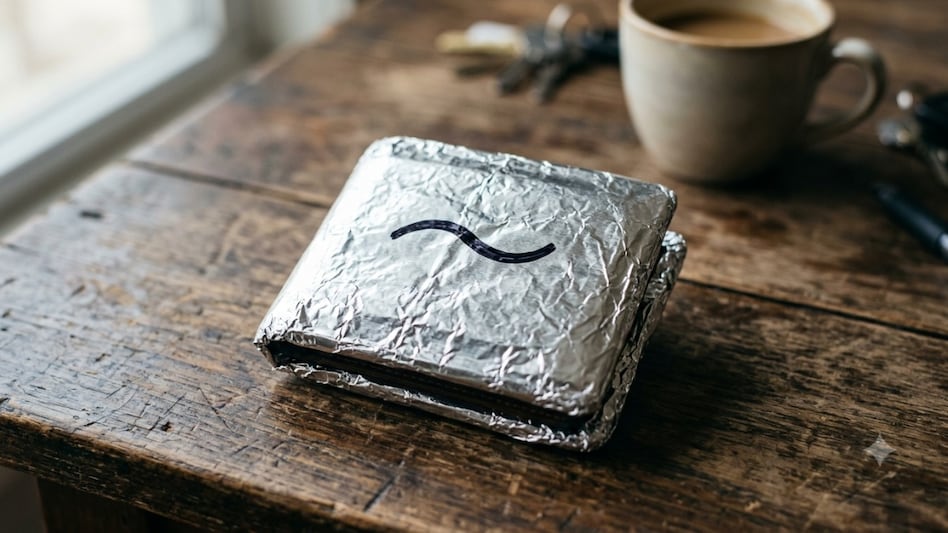
The Shift in Human Cognition: Embracing AI as a Collaborative Tool
As technology continues to evolve, a notable shift is occurring in the relationship between humans and artificial intell...
Business Insider | Jul 25, 2026, 09:50Warner Bros. Takes Legal Action Against Amazon Over Executive Poaching Allegations
Warner Bros. Discovery has initiated legal proceedings against Amazon, accusing the tech giant of unlawful interference ...
TechCrunch | Jul 25, 2026, 21:25
Market Turbulence: Four Key Factors Impacting Stocks This Week
This past week has been challenging for the stock market, driven by several significant forces that have created turbule...
CNBC | Jul 25, 2026, 20:05
Crisis Averted: Power Line Failure Highlights Urgent Need for Data Center Resilience
A power line failure near Washington, DC, recently showcased a significant challenge faced by the electrical grid due to...
TechCrunch | Jul 25, 2026, 13:50