
Logitech MX Master 4 review: The productivity mouse that disappears in your hand
In the realm of productivity tools, some gadgets shine brightly while others fade into the backdrop because they simply excel at their function. The Logitech MX Master 4 firmly falls into the latter category. After extensive use during long writing sessions, photo editing, and numerous spreadsheet tasks, it becomes apparent that this mouse is designed not for show, but for seamless workflow. The MX Master series has long been Logitech's understated testament to the importance of peripherals, particularly as many of us navigate predominantly through browsers and cloud applications. Upon first glance, the MX Master 4 appears to be a subtle evolution rather than a complete overhaul. Logitech has wisely resisted the urge to fix what wasn't broken, focusing instead on refining its existing design. The ergonomic right-handed shape remains one of the best available, comfortably cradling the palm and naturally supporting the thumb, avoiding the awkward angles that often plague productivity mice. The upgraded rubberized grip is now more streamlined, enhancing the mouse’s aesthetic without compromising functionality. Button placement has also been thoughtfully improved, with primary clicks feeling more expansive and side buttons easier to access. For left-handed users, however, this mouse remains exclusively right-handed, a drawback that continues to stand out as the series progresses. If you work in shared environments or simply prefer a quieter workspace, the MX Master 4's clicks are a revelation. Logitech has managed to make these sounds even softer than its predecessors, providing a click that is defined yet unobtrusive, allowing users to remain focused during intense work periods. The acclaimed MagSpeed scroll wheel makes a return, offering the ability to scroll through hundreds of lines effortlessly, while the side scroll wheel is now more accessible, making horizontal navigation in timelines and spreadsheets genuinely beneficial. A standout feature this year is the inclusion of haptic feedback, which Logitech has approached with a commendable level of restraint. Rather than an overwhelming experience, the haptic feedback serves to confirm user actions, providing subtle cues when switching scroll modes or engaging specific shortcuts. Users can customize the intensity and functionality of these haptics, with the option to turn them off entirely. Even with haptic feedback enabled, the mouse maintains a battery life that comfortably spans several workdays. The MX Master 4 introduces two key productivity features: the gesture button and the Action Ring. The gesture button allows users to trigger directional shortcuts simply by holding it and moving the mouse, streamlining commands like desktop viewing or app switching. The Action Ring, a radial menu activated by a dedicated button, presents customizable shortcuts that adapt based on the current application, enhancing workflow efficiency. To fully harness the capabilities of the MX Master 4, users need to utilize Logi Options Plus, a robust utility that offers an intuitive interface and easy profile management. While not every feature integrates seamlessly with the Action Ring, the potential for creative and professional applications is substantial, and the software continues to evolve. Connectivity options include Bluetooth and Logitech’s Bolt receiver, providing reliable and instantaneous device switching across various platforms, including Windows, macOS, and Linux. Logitech's Flow feature remains a highlight, seamlessly transferring files and text between devices, though it is worth noting that the absence of a storage slot for the USB dongle and the lack of an included cable are minor inconveniences at this price point. The MX Master 4 isn’t aimed at casual users or gamers seeking high polling rates. Instead, it caters to those who dedicate their days to writing, editing, coding, designing, and analyzing. The enhancements over the MX Master 3S may seem incremental, but they culminate in a noticeably smoother user experience. The MX Master 4 doesn’t boast about its upgrades; rather, it quietly facilitates better productivity. Despite its premium price of ₹15,995, for users who prioritize comfort and efficiency, this mouse proves to be a worthy investment that becomes indispensable in any workflow.
Nvidia Strikes Major Deal with SK Hynix to Secure AI Memory Supply
Nvidia has successfully forged a significant partnership with South Korea's SK Hynix to secure memory supplies essential...
CNBC | Jul 25, 2026, 05:15
Kalshi Challenges Netflix Over Controversial Documentary Trailer
Kalshi, the prediction market platform, has taken significant legal steps against Netflix, sending a cease-and-desist le...
TechCrunch | Jul 25, 2026, 17:10
Unleashing the Power of AI: The 5 Smartphones Redefining Mobile Photography
Artificial Intelligence (AI) is transforming our daily experiences, permeating various aspects of technology, including ...
Business Today | Jul 26, 2026, 07:05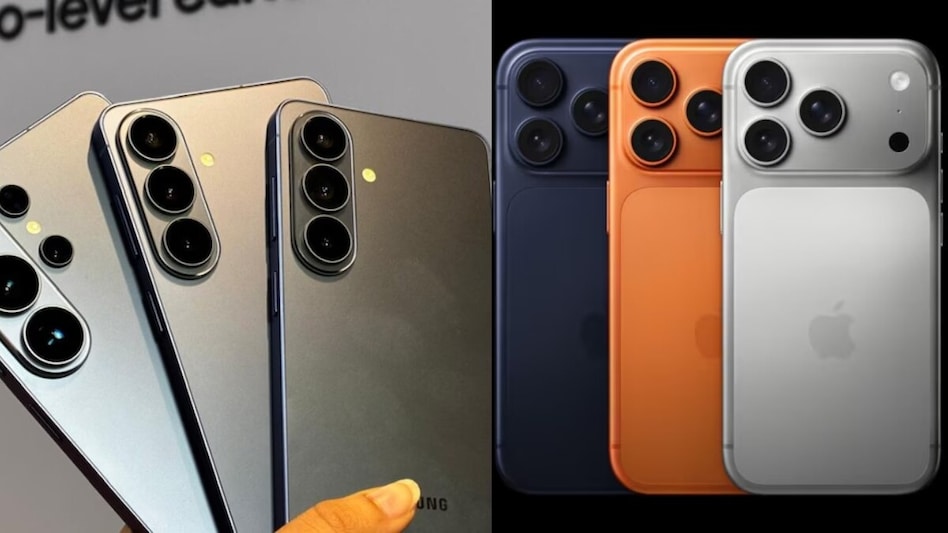
AI Transformations Lead to Major Job Cuts at Tech Giants
Monday.com, the innovative work management platform based in Tel Aviv, has recently announced significant layoffs, attri...
TechCrunch | Jul 26, 2026, 01:45
The Boring Company Eyes $4 Billion Funding Boost Amid Expanding Tunnel Ventures
Elon Musk's tunneling enterprise, The Boring Company, is reportedly negotiating a substantial funding round of $4 billio...
TechCrunch | Jul 25, 2026, 19:50