iOS 27 public beta is out; How to install it on your iPhone and what's new
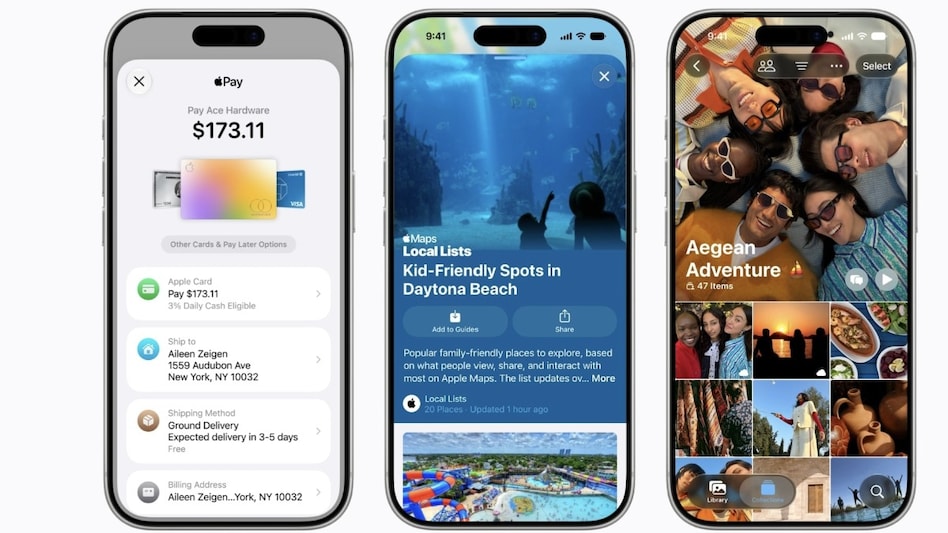
Apple has launched the public beta for its much-anticipated iOS 27, inviting users to experience its innovative features ahead of the full release scheduled for September 2026. This initial beta version introduces a host of enhancements, including a significantly upgraded Siri, improved performance, and enhanced security protocols. If you're eager to participate in testing the iOS 27 update, it’s important to ensure your device is compatible. The update is designed for iPhone 11 and later models, although the advanced AI features will be limited to the iPhone 15 Pro and newer. Before diving into the beta program, make sure to back up your device using iCloud or a Mac/PC. This precaution ensures that your data is safe should any issues arise during the beta testing phase. To join the iOS 27 public beta, follow these steps: 1. Launch Safari on your iPhone. 2. Navigate to beta.apple.com. 3. Log in with your Apple ID. If you’re new, enroll in the program and accept the terms. 4. Open the Settings app. 5. Go to General > Software Update > Beta Updates. 6. Select the iOS 27 Public Beta option. 7. Tap Download and Install. If the iOS 27 Public Beta doesn’t appear immediately, give it some time for your account to be recognized. Ensure you are using the correct Apple ID, and that your device is connected to WiFi and charging. However, it's recommended to wait for the stable version if you want to avoid potential bugs and performance issues that often accompany beta releases. The iOS 27 public beta showcases several exciting new features highlighted during WWDC 2026. A key highlight is the redesigned Siri, now referred to as Siri AI. This enhanced voice assistant operates on Google’s Gemini AI models and features a new app with a chatbot-like interface, making it more interactive and capable than ever. In addition to the Siri upgrade, users can look forward to an improved Clean Up tool within the Photos app, a more customizable Liquid Glass UI, and enhancements to the Safari browser, such as topic-based tab organization, grouped bookmarks, and smarter message composition suggestions. The update also aims to bolster password security, among other improvements.
Linux Creator Challenges Developers: Embrace AI or Fork Off!
In a recent discussion surrounding the use of AI in software development, Linus Torvalds, the founder of Linux, voiced h...
Business Insider | Jul 26, 2026, 13:10The Rise of AI Distillation: A Controversial Technique Sparks Debate in Tech and Government
In recent discussions, a once-obscure topic in artificial intelligence has surged to the forefront of debates among tech...
CNBC | Jul 25, 2026, 12:15
Uber's Former CEO Makes Waves with New Ventures Amidst Tesla's Earnings Update
In the ever-evolving landscape of transportation, recent developments have come to the forefront, particularly surroundi...
TechCrunch | Jul 26, 2026, 16:25
Market Turbulence: Four Key Factors Impacting Stocks This Week
This past week has been challenging for the stock market, driven by several significant forces that have created turbule...
CNBC | Jul 25, 2026, 20:05
Unleashing the Power of AI: The 5 Smartphones Redefining Mobile Photography
Artificial Intelligence (AI) is transforming our daily experiences, permeating various aspects of technology, including ...
Business Today | Jul 26, 2026, 07:05